

A check after every backup
Every backup is checked after it is saved. A damaged one gets marked so nobody restores from it by mistake, and you can run the check by hand too.

Kompatiqo Backup copies whole disks, Windows included, or just the folders you pick, to another disk or a NAS. On a schedule, while you work. When a disk dies, the rescue USB puts the backup on a new one.
Photo: Gunnar Wolf, CC BY-SA 4.0
A five-step wizard sets up a backup. After that it runs on its own and you only look at the result.
Screenshots are from the app, filled with sample data.
A whole-disk backup takes Windows, programs and settings too, so it can bring back the entire PC. A files-and-folders backup keeps older versions, so a document can come back the way it was a week ago.
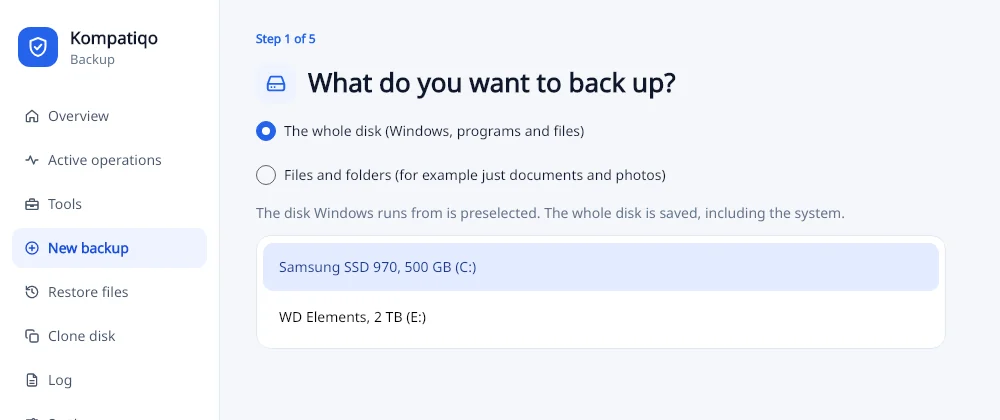
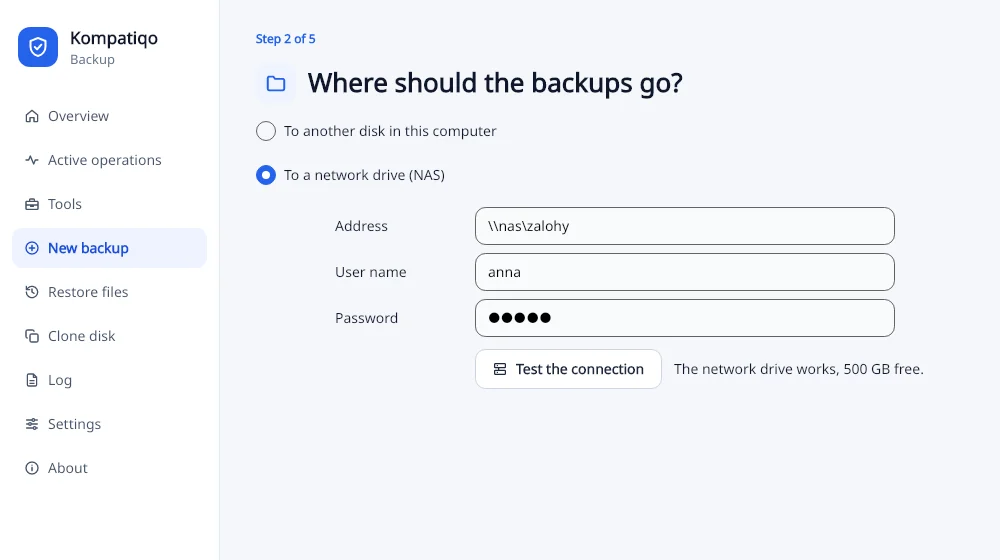
The target is a second disk in the PC, an external drive, or a shared folder on a NAS. You can test the NAS connection inside the wizard before anything is saved.
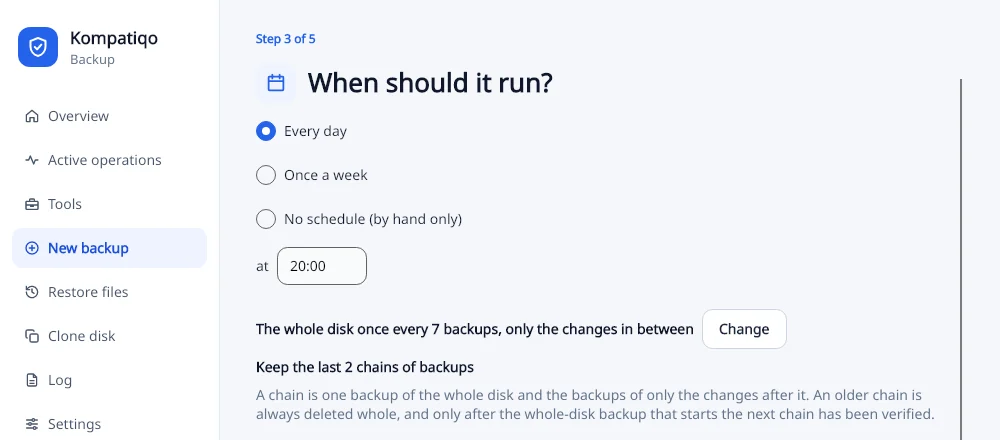
Every day, once a week, or only when you click. The full disk is saved on every seventh backup with only the changes in between, and the oldest series is deleted on its own. The app checks every backup after saving it.
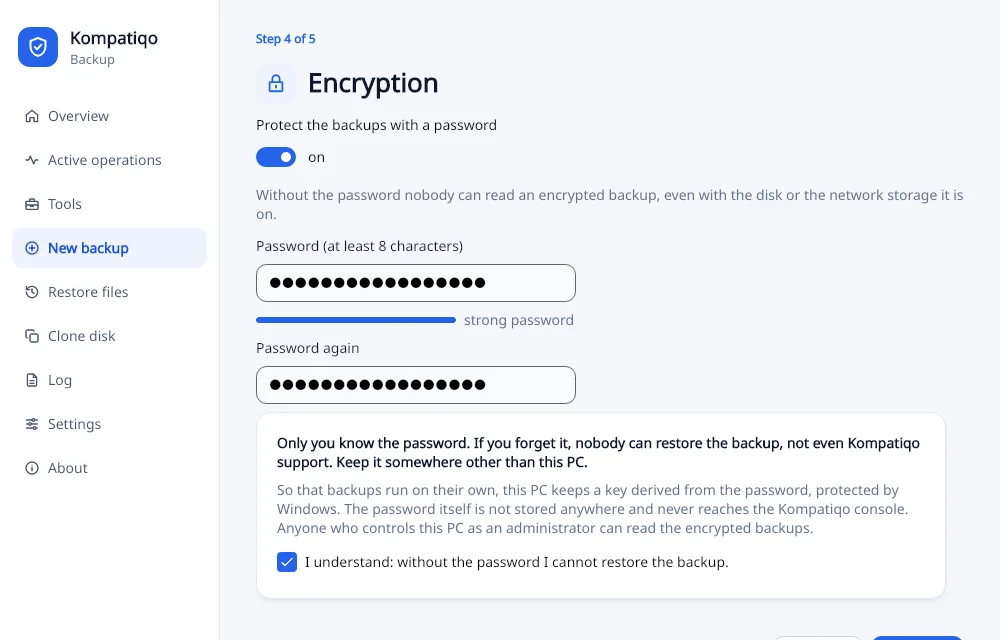
Backups are encrypted with AES-256. Whoever gets hold of the disk or the NAS can't read them without the password, and neither can Kompatiqo. Forget the password and nobody can restore the backup, our support included.
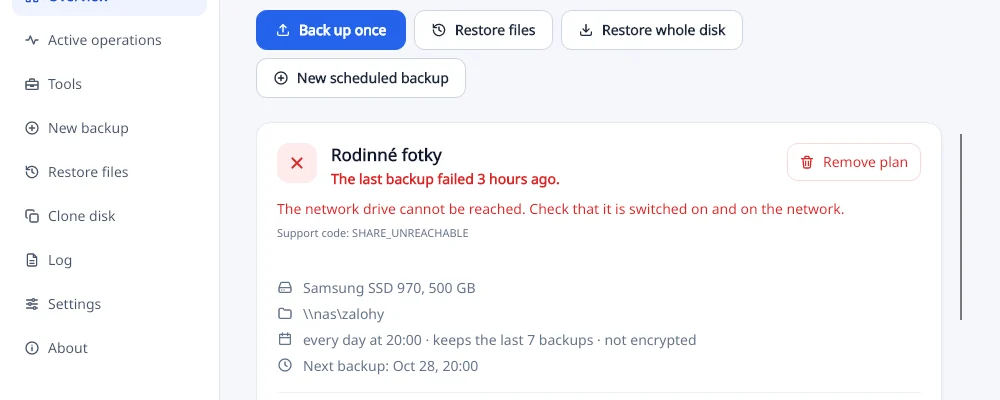
For every plan you see what it backs up, where to, when it runs next and how the last backup went. When something fails, the app tells you why and what to do, for example that the NAS is switched off or the disk is full.
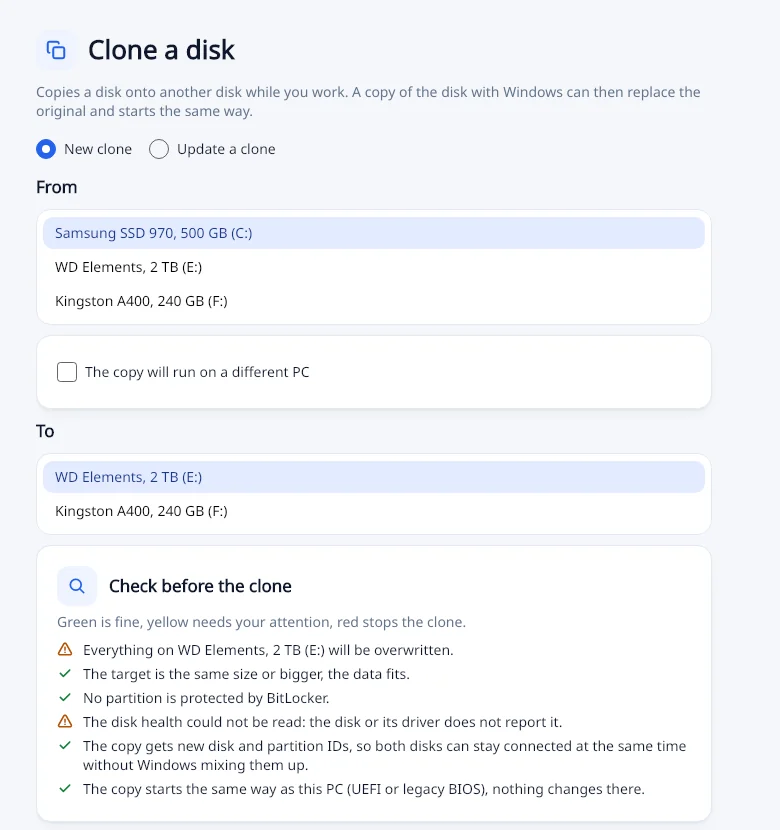
Copy the Windows disk to a new one while you keep working. Before the clone, the app checks what gets overwritten, whether the data fits and whether BitLocker is on anywhere. Then it tells you how to swap the disks.
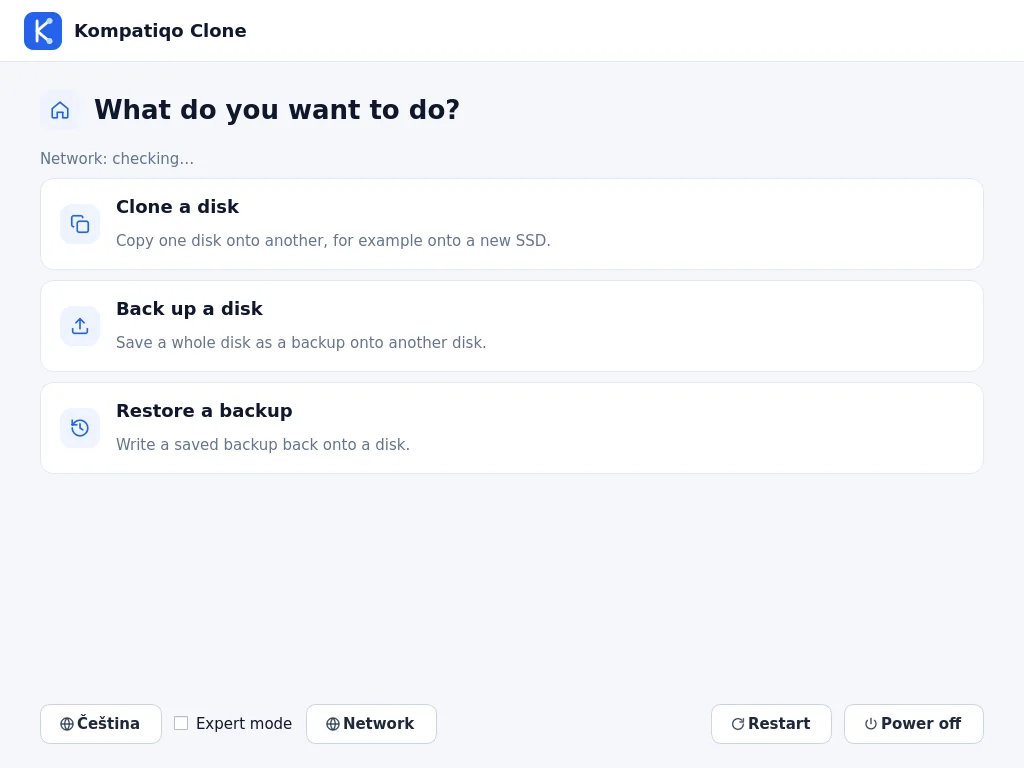
When Windows won't start, no app inside it can restore anything. That's why Kompatiqo Backup comes with a bootable USB stick running its own program, Kompatiqo Clone.

UEFI with Secure Boot on, or an older BIOS, from a USB stick or a CD. Nothing gets installed on the PC.
It finds backups on a disk or a NAS, opens an encrypted one with your password and writes it back. The restored Windows starts the way it did before.
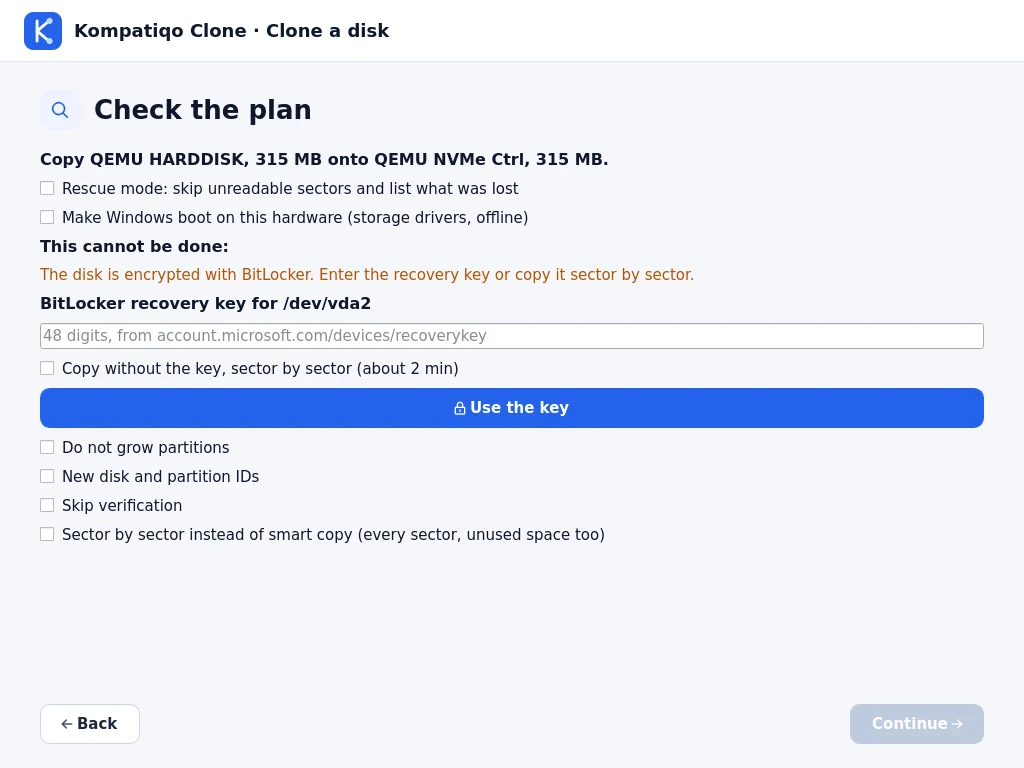
Disk to disk, or one source onto up to eight targets at once. For a BitLocker disk it asks for the recovery key.
The stick has a partition with the log. In a Windows PC it shows up as an ordinary drive, so sending the log is one drag and drop.
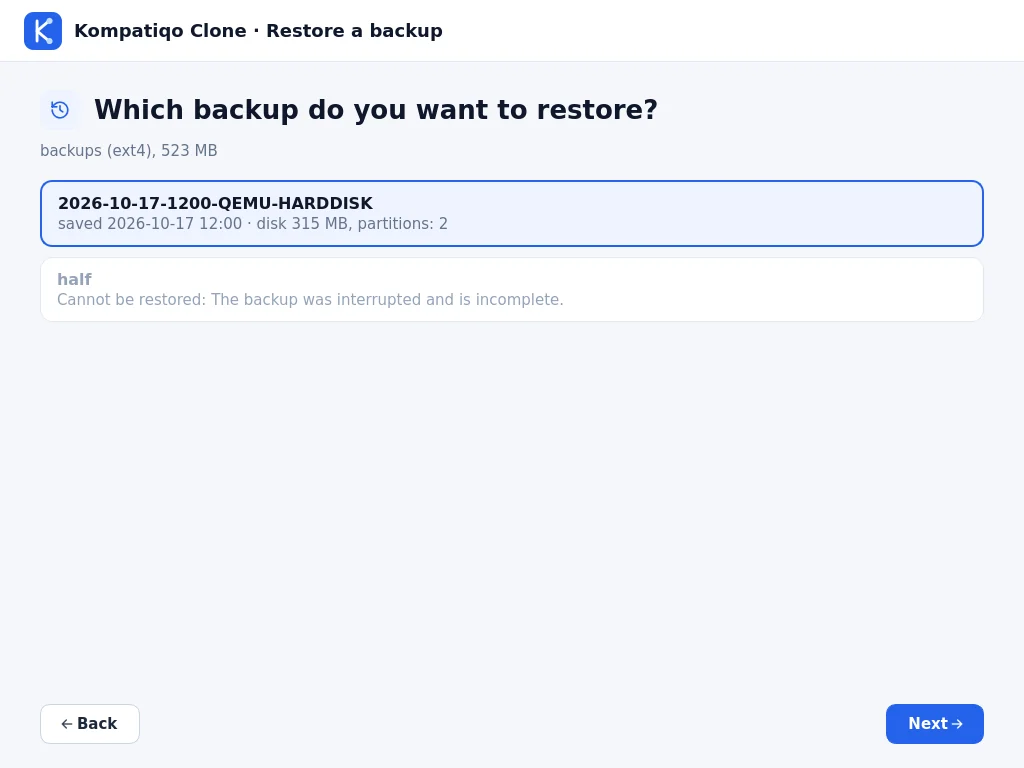
A backup is only worth something if it restores. That's why the app keeps an eye on it after saving.
Every backup is checked after it is saved. A damaged one gets marked so nobody restores from it by mistake, and you can run the check by hand too.

So that backups can run on their own, the PC keeps only a key derived from the password, protected by Windows. The PC's administrator can therefore read them. Kompatiqo and a NAS thief can't.
If the target drops out during a backup, the app tries again after a minute, then after 2, 5, 15 and 30 minutes. The PC won't go to sleep while a backup runs.
Backups are stored only on your disk or NAS, nowhere else. The PC never sends their contents, file names or paths to anyone.
No boxes, no editions. A subscription per PC, with a month to try it first.
The full version with every feature, no account needed.
One subscription covers as many PCs as it has seats. Ask us for the price.
The licence is checked online. Without a connection, backups keep running for another 30 days.
You can restore and check a backup even with an expired licence. Without a valid one, only new backups stop.
Tell us how many PCs you want to back up. We'll send the installer, the rescue USB and the price.
